FitPal — Offline Fitness Tracker
- 100% private local storage
- Zero dependencies
- Installable PWA
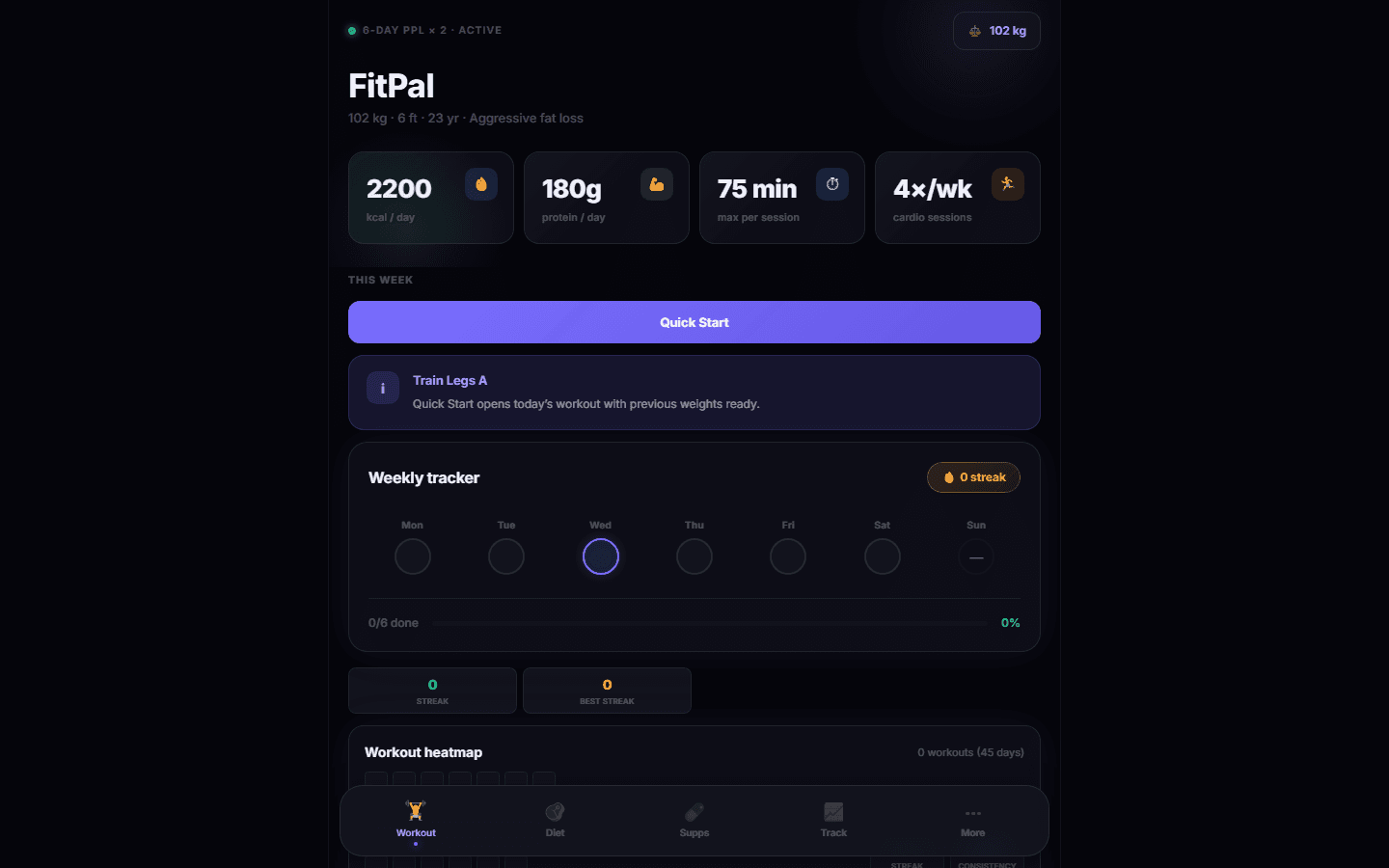
Problem: Tracking workouts and nutrition usually requires heavy apps with accounts, ads, and cloud dependencies.
Solution: Built a professional-grade, zero-dependency PWA fitness dashboard that works entirely offline using localStorage.
Impact: 100% private, instant-load fitness tracking with comprehensive analytics, diet plans, and progressive overload tracking.
Overview
FitPal is a professional-grade, zero-dependency PWA fitness dashboard built for serious athletes. It is contained entirely within a single HTML file, requiring no accounts, no cloud, and loading instantly. It supports 6-day PPL splits, drop sets, analytics heatmaps, nutrition tracking, and full data export/import via JSON.
Before / after
Data Privacy
Before: Data stored on external servers with required accounts
After: 100% private, local-only storage via localStorage
App Loading
Before: Network dependent loading times
After: Instant load with offline-first caching via Service Worker
Stack
Decisions
Key trade-offs and design calls that shaped the final delivery.
Zero-dependency single file
Context: Wanted maximum simplicity, performance, and portability.
Decision: Built the entire application in vanilla HTML/CSS/JS without frameworks to ensure instant load and easy maintenance.
localStorage for persistence
Context: Privacy and offline usage were top priorities.
Decision: Avoided any backend database or accounts, storing all workout and nutrition data strictly in the browser's localStorage.
Architecture
The primary system boundaries, runtime pieces, and how the project was structured in production.
Vanilla JS & localStorage
Frontend & Persistence
100% private, local-only data persistence with no cloud dependencies or accounts.
Service Worker
Offline Capability
Network-first for navigation, cache-first for assets, providing robust offline fallback.
Netlify & Security Headers
Security & Deployment
Strict-Transport-Security, Content-Security-Policy, and X-Frame-Options configured via netlify.toml.
Pipeline
How changes moved from development through validation and deployment.
Development
Vanilla StackNo build step required, direct HTML/JS/CSS editing.
Deployment
NetlifyAuto-deploy from main branch with strict security headers.
Incidents
Operational failures, rehearsals, or recovery moments that changed how the system was run.
No public incident notes were added for this case study. The implementation was stable enough that there were no notable production learnings to document here.